
Temu Scraper: Extract Product and Price Data via API
Want to test it? Start with 100 free credits, no card required.
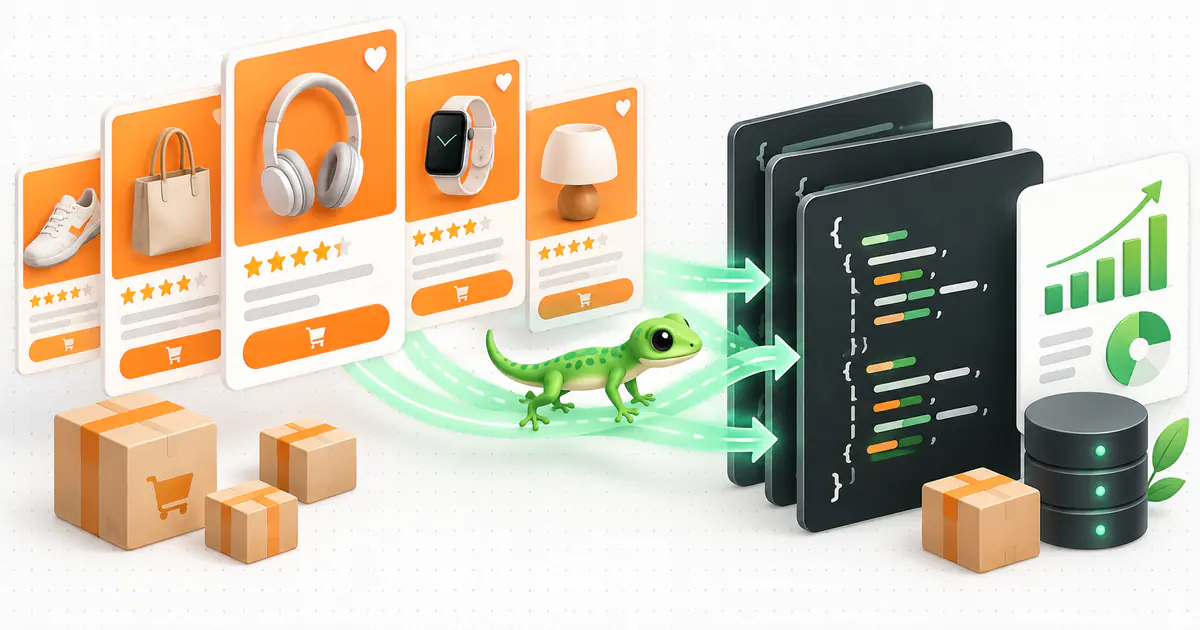
Open the dashboardA Temu scraper turns public Temu search results and product pages into structured data your software can use. Instead of copying prices, ratings, seller information and variants by hand, your application sends a keyword or URL and receives JSON ready for a database, spreadsheet, dashboard, ETL pipeline or AI agent.
The difficult part is not simply downloading a page. Catalogs, currencies, availability and offers vary by country. Search result pages and product detail pages expose different fields. A reliable scraper for Temu must preserve this context, handle pagination, represent missing fields correctly and provide a stable output when the source presentation changes.
This guide explains how to use GeckoAPI as a managed Temu web scraper for product search and detail data in the United States, United Kingdom and Brazil. The connector covers PLP and PDP extraction, costs 5 credits per request, and returns normalized records without requiring you to maintain a headless browser, proxy rotation or a custom parser.
GeckoAPI is an independent public-page data extraction platform. It is not affiliated with, sponsored by or endorsed by Temu.
What is a Temu scraper?
A Temu data scraper—also called a Temu crawler, product scraper or web scraper—automates the collection of information displayed on the marketplace. Its job is to convert an interface designed for people into records that an application can query, store and compare.
There are two primary entry points:
| Page | GeckoAPI type | Input | Best use |
|---|---|---|---|
| Search or product listing | plp | Keyword or public search URL | Discover products, prices, positions and demand signals |
| Product detail | pdp | Public product URL | Retrieve variants, seller, shipping, stock, specifications and ratings |
PLP means Product Listing Page, while PDP means Product Detail Page. In practice, the listing discovers products and the detail endpoint enriches the selected items.
A typical workflow looks like this:
keyword + region
  → Temu search scraper (PLP)
  → normalized products
  → filtering and deduplication
  → Temu product scraper (PDP) for selected URLs
  → database snapshots
  → alerts, dashboards or automations
This two-stage design prevents unnecessary detail requests. Discover the relevant catalog first, then spend calls on the products that matter to your use case.
What product data can a Temu scraper extract?
The exact output depends on the page type and what the source displays at extraction time. A Temu search scraper can return:
- product name, URL,
productId, SKU and result position; - current price, reference price and currency;
- thumbnail and other product-card images;
- average rating and review count when available;
- units-sold value or the approximate sold text shown on the page;
- seller identifier (
mallId) and sponsored status when provided; - query context, page, region and extraction timestamp.
The product detail response can add descriptions, images, specifications, price ranges, availability, stock, seller details, shipping information, reviews and variant combinations with their respective SKUs.
Optional fields can be null. That distinction matters: a missing value does not mean a zero price, no stock or a negative rating. Your data model should preserve the difference between “not provided” and a known value.
Managed Temu scraper API vs. building your own
You can build a custom Temu crawler with Playwright, Puppeteer or Selenium. That gives your team control over navigation and parsing, but it also makes your team responsible for browser operations, concurrency, timeouts, selectors, currency normalization, incomplete responses and source layout changes.
A managed scraper API replaces that infrastructure with a data contract:
| Consideration | Custom scraper | GeckoAPI Temu scraper |
|---|---|---|
| Output | HTML or your custom schema | Normalized JSON |
| Browser and proxy | Operated by your team | Managed by the API |
| Source changes | Require parser maintenance | Handled in the connector |
| Search and detail | Separate flows you build | PLP and PDP through one endpoint |
| Regions | Your geolocation logic | Explicit br, us and uk values |
| Operating cost | Infrastructure and engineering | 5 credits per request |
A custom solution may still make sense for an interaction that a managed endpoint does not cover. For price monitoring, catalog research and product-data integrations, structured output generally reduces both time to first result and ongoing maintenance.
How to scrape Temu with GeckoAPI
Every request uses the same endpoint:
POST https://api.geckoapi.com.br/v1/extract
Create a key in the GeckoAPI dashboard and send it in the Authorization header. Keep the key on your backend or in an environment variable. Do not expose it in browser JavaScript, public logs or a repository.
1. Search Temu products by keyword
This request searches the United States catalog:
curl --fail-with-body --max-time 120 \
  --request POST 'https://api.geckoapi.com.br/v1/extract' \
  --header "Authorization: Bearer ${GECKOAPI_KEY}" \
  --header 'Content-Type: application/json' \
  --data '{
    "target": "temu.com",
    "type": "plp",
    "region": "us",
    "keyword": "wireless mouse",
    "page": 1
  }'
For PLP requests, keyword is required when you do not provide a URL. It accepts 1 to 200 characters. page accepts positive integers with no fixed page-count cap, and each request returns one page. Deep pages may exceed the request timeout. You can also provide a public search_result.html URL containing search_key.
A shortened response has this shape:
{
  "requestId": "11111111-1111-4111-8111-111111111111",
  "data": {
    "query": "wireless mouse",
    "region": "us",
    "page": 1,
    "hasMore": true,
    "nextPage": 2,
    "items": [
      {
        "position": 1,
        "productId": "601234567890123",
        "name": "Wireless ergonomic mouse",
        "currency": "USD",
        "price": 19.99,
        "priceDisplay": "$19.99",
        "aggregateRating": {
          "rating": 4.7,
          "reviewCount": 156
        }
      }
    ]
  }
}
The IDs and values above are illustrative. In production, retain the source URL, extraction time, requestId and executionId so each collection run can be audited.
2. Scrape a Temu product page
After selecting a URL from search, send a pdp request:
curl --fail-with-body --max-time 120 \
  --request POST 'https://api.geckoapi.com.br/v1/extract' \
  --header "Authorization: Bearer ${GECKOAPI_KEY}" \
  --header 'Content-Type: application/json' \
  --data '{
    "target": "temu.com",
    "type": "pdp",
    "region": "us",
    "url": "https://www.temu.com/us/product-g-601234567890123.html"
  }'
The product scraper accepts HTTPS URLs containing product-g-<id> as well as goods.html?goods_id=<id>. Use PDP extraction when you need to associate a price with a specific variant, inspect specifications or enrich the product cards returned by search.
3. Paginate without duplicate products
Follow hasMore and nextPage instead of assuming every query has ten pages. This JavaScript example retrieves at most three pages and deduplicates by productId:
const apiKey = process.env.GECKOAPI_KEY;
if (!apiKey) throw new Error("Set GECKOAPI_KEY.");

const products = new Map();
let page = 1;

for (let request = 0; request < 3; request += 1) {
  const response = await fetch("https://api.geckoapi.com.br/v1/extract", {
    method: "POST",
    headers: {
      Authorization: `Bearer ${apiKey}`,
      "Content-Type": "application/json",
    },
    body: JSON.stringify({
      target: "temu.com",
      type: "plp",
      region: "us",
      keyword: "wireless mouse",
      page,
    }),
    signal: AbortSignal.timeout(120_000),
  });

  if (!response.ok) throw new Error(`HTTP ${response.status}`);

  const { data } = await response.json();
  for (const item of data.items) products.set(item.productId, item);

  if (!data.hasMore || !Number.isInteger(data.nextPage)) break;
  if (data.nextPage <= page || data.nextPage > 10) break;
  page = data.nextPage;
}

console.log([...products.values()]);
For scheduled extraction, add a concurrency limit and use bounded retries with backoff only for transient failures. An HTTP 400 response caused by an invalid URL or conflicting region should be corrected rather than retried.
Temu scraping in the US, UK and Brazil
The region is part of the product context, not a cosmetic option:
region | Market | Currency |
|---|---|---|
us | United States | USD |
uk | United Kingdom | GBP |
br | Brazil | BRL |
When region is omitted, the connector attempts to infer it from the URL prefix. Neutral URLs and keyword-only searches default to Brazil. The URL and request region must agree: a /us/ URL paired with region: "br" is rejected.
For cross-market comparisons, always store region, currency, original price, source URL and timestamp. Do not compare USD 50 with BRL 50 as equal values, and do not discard the original currency after applying a foreign-exchange conversion.
Common Temu scraper use cases
Price and offer monitoring
Schedule the Temu scraper to save snapshots for the same productId, region and variant. Compare equivalent observations and include availability, seller, shipping and promotion context before sending an alert. Pricing and market-intelligence teams can track changes without repeatedly checking pages by hand.
Product and assortment research
Search categories or commercial keywords, apply your own ranking rules, and send only selected items to the PDP endpoint. Position, ratings and sold text are useful prioritization signals, but they should not be treated alone as proof of revenue or demand.
Catalog enrichment and product matching
Use names, images, specifications, dimensions, models and variants to associate a Temu item with internal records or products on another marketplace. Matching on title alone creates false positives. Keep source identifiers and URLs so results can be reviewed later.
Dashboards, spreadsheets and AI agents
The JSON response can feed PostgreSQL, BigQuery, spreadsheets, automation tools or an API-connected agent. Include the collection timestamp in user-facing answers so readers know when the price and availability were observed.
For broader marketplace coverage, combine the Temu scraper with GeckoAPI connectors for Shopee, AliExpress, Amazon and Mercado Livre.
Best practices for reliable Temu product data
- Start with PLP search. Discover relevant items before spending detail requests.
- Keep region and currency. They are part of every commercial snapshot.
- Model null values. Missing is not the same as zero or unavailable.
- Append history. Do not overwrite the prior price if you need change detection.
- Deduplicate with context. Combine product, region and SKU when variants matter.
- Stop pagination correctly. Continue only when
hasMoreandnextPageare valid. - Protect credentials. Call the API server-side and keep the key out of clients.
- Use public data responsibly. Follow applicable laws, relevant terms and a request frequency appropriate to your use case. See GeckoAPI’s responsible-use policy.
Temu scraper FAQ
How do I build a Temu scraper?
You can maintain your own automated browser and parser or use a managed API. With GeckoAPI, send target: "temu.com" and type: "plp" for search, or use type: "pdp" with a product URL. The response is structured JSON.
Can the Temu scraper extract prices and reviews?
Yes. Search results can include price, currency, reference price, rating, review count and sold text when those values are available. Product-detail extraction can add variants, seller, stock, shipping and specifications.
Can I scrape Temu by keyword?
Yes. Send a keyword, region and page in a PLP request. Keywords accept up to 200 characters, and supported pagination ranges from page 1 through page 10.
Which countries does the Temu scraper support?
The GeckoAPI connector supports the United States (us, USD), United Kingdom (uk, GBP) and Brazil (br, BRL). Product availability and price can vary between these catalogs.
How much does Temu scraping cost?
Each Temu PLP or PDP request costs 5 credits. One search-page request followed by four product-detail requests uses five calls, or 25 credits.
Do I need Selenium or a proxy?
Not when using GeckoAPI. You send a keyword or URL over HTTP and receive JSON; extraction infrastructure and normalization are managed by the service.
Can I export Temu data to CSV or Excel?
Yes. Your application, ETL or automation can transform the JSON response into CSV or XLSX. Keep nested objects such as variants and reviews in related tables or JSON columns to avoid losing context.
Try the GeckoAPI Temu scraper
Start with one keyword, one region and the first result page. Validate the returned fields, choose a few URLs for PDP enrichment, and increase collection frequency or volume only after the data matches your requirements.
Explore the Temu API page, review the Temu PLP documentation and Temu PDP documentation, or create a GeckoAPI account to test the Temu scraper with free starting credits.
Ready to test your Temu scraper?
Use 100 free credits to validate the integration. Endpoint usage is listed in the documentation.
Create a free account